

ScreenshotOne

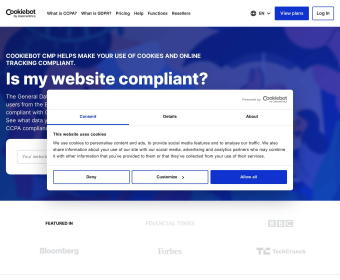
Open your workflow with a simple call: send a URL, choose what to capture, and get a clean image back every time. ScreenshotOne lets you target an entire page or a specific element, set the viewport and device scale, flip on dark mode, and strip away cookie banners and ads that clutter results. Use it on-demand to grab a pixel-accurate PNG, JPEG, or WebP, or wire it into a queue to process thousands in parallel. Because rendering runs on headless Chrome in the cloud, you get consistent output across environments with no local setup.
Content and marketing teams can automate everything they ship. Schedule daily or hourly snapshots of landing pages, pricing tables, or live dashboards to track changes and share updates in Slack. Generate branded creatives from HTML—promo cards, email signatures, announcement blocks—by passing a template and style variables, then output an image sized for social or newsletters. Add logos, colors, and backgrounds to match the campaign, and keep a clean look by auto-hiding overlays and consent prompts before capture. If you manage many locales, run a capture matrix by URL and viewport list, then archive results to your storage for audits and approvals.
Developers and QA can make visual checks reliable. In CI, call the API after each deploy to create baselines and compare screenshots for regressions. Target components via CSS selectors to isolate changes, such as headers, nav bars, and checkout modules, instead of diffing the whole page. Full‑page mode covers lazy‑loaded sections without stitching. Auto-scaling handles traffic spikes during test runs, while Chrome-based rendering ensures what you see matches production. For compliance, program recurring captures of policy pages and terms to maintain a verifiable history. GDPR-friendly controls help you avoid collecting unnecessary personal data in your images.
Operations and product teams can turn screenshots into routine signals. Set up recurring captures of uptime pages, analytics summaries, and feature flags to create a visual audit trail. Use dark mode to preview accessibility and theme parity without touching code. For stakeholder reviews, capture interactive states by targeting elements after the page settles, then share a one-link image preview. Whether you process ten images or ten million, the service scales up and down to meet demand, delivering fast, clean, and repeatable outputs you can trust in your pipelines.
Free
Free
100 screenshots
20 requests per minute
Hobbyist
$12.00 per month
1,500 screenshots for monthly
40 requests per minute for monthly
2,500 screenshots for yearly
40 requests per minute for yearly
Startup
$40.00 per month
10,000 screenshots for monthly
80 requests per minute for monthly
10,000 screenshots for yearly
80 requests per minute for yearly
Professional
$124.00 per month
50,000 screenshots for monthly
150 requests per minute for monthly
50,000 screenshots for yearly
150 requests per minute for yearly


Comments